Wi-Fi Design
Forty-plus outdoor sites spread across open ground. No conduit, no trenching budget, and guests who fully intend to stream in bed.
Every so often a property comes along where the textbook answer is impossible. A glamping resort we designed for recently had guest accommodations spread across a wide outdoor site with no data infrastructure between them and no realistic path to trench for fiber. The guests still expect hotel-grade Wi-Fi, because to them it is a hotel.
This is a design problem more than an install problem, and the decisions you make in the first hour determine whether it works or whether you spend the next year fielding complaints. Here is how we think through it.
Cable is always better. Every wireless hop costs you throughput, adds latency, and introduces a failure mode that is invisible until someone complains. If there is any realistic path to running fiber or copper between locations, take it, even if it costs more up front.
When that path genuinely does not exist, and on this kind of site it often does not, you are building a wireless mesh with a single wired or cellular uplink at the root. That is a legitimate design. It is not a compromise as long as you size expectations correctly and place the nodes with intent.
The honest constraint: in a mesh, every hop away from the root roughly halves usable throughput. A node three hops out is not going to deliver what the root delivers, no matter what the box says on the marketing page.
On a site with no fiber, the uplink is usually a cellular gateway. That makes root placement a two variable problem, and the two variables fight each other.
The best cellular spot is frequently not the best mesh spot. When they conflict, we lean toward cellular signal and then fix the topology with an extra relay node, because a weak uplink starves the entire network while an extra hop only affects the tail.
Whatever location wins becomes your one real closet: enclosure, conditioned power, surge protection, the gateway, and the root access point. Build that one properly. Everything else depends on it.
The single biggest performance lever on an outdoor mesh is mounting height and line of sight, not the model of access point you buy.
On this design each node mounted at the highest structural point available on its site, which put the radios above the tent canopies and gave the mesh links clean line of sight to each other. Mount those same radios at head height and the design fails, because canvas, bodies, and vehicles all sit directly in the path.
Things worth checking before you commit to a mount point:
Wireless backhaul removes the data cable. It does not remove the power requirement. Every node still needs electricity, which means an electrician, permits in some jurisdictions, and a schedule you do not control.
At the non root locations the typical build is simple: power at the pole, a weatherproof enclosure, and a PoE injector feeding the access point. Nothing exotic. But it is the item most likely to slip, so get it scoped and scheduled before anything else. We have watched otherwise clean projects stall for weeks waiting on power to six posts.
Scoping tip: write down explicitly who is responsible for power to each node and by what date. On outdoor jobs this is the number one source of schedule disputes, and it is trivially avoided with one line in the scope.
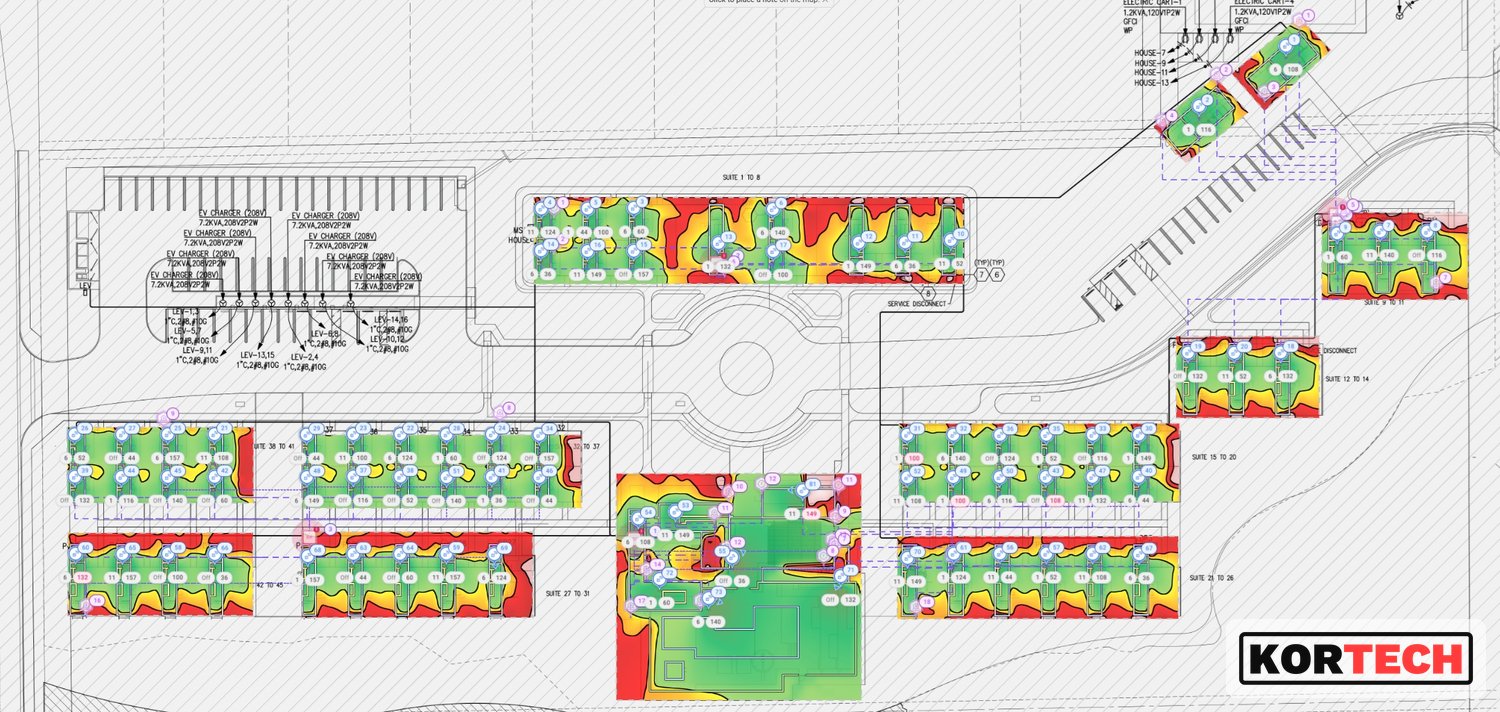
We do predictive modeling on every design like this, because it is far cheaper to move an access point in software than on a ladder. The model tells you where the dead zones will be, whether your hop count is realistic, and how many nodes you actually need rather than how many someone guessed.
It also gives you something to hand the client that is not an opinion. When someone asks why the design needs six nodes instead of four, a coverage model answers the question in about five seconds.
This is the step that separates a happy client from an unhappy one, and it has nothing to do with technology.
A cellular-backed mesh serving dozens of outdoor sites is not going to behave like a wired hotel network. It will be perfectly good for browsing, messaging, email, and standard-definition streaming. It will struggle if forty guests all decide to stream 4K on a holiday weekend. Say that out loud, in the proposal, before anyone signs.
Practical guardrails worth building in from day one:
The technology here is not the hard part. Modern outdoor mesh gear is good and it mostly just works once it is placed well. The hard parts are the three things that happen off the network: getting power scheduled, getting honest permission to mount at height, and setting expectations before the first guest connects.
Model it first, put the root where the signal actually is, mount high, and write down what the network will and will not do. Do those four things and this design holds up.
We model predictive coverage in house for every wireless design we deliver. If you have a site that cabling can't reach, see how we approach Wi-Fi design or talk to an engineer.